Camera Grid


A grid can tell you where thirds are. It cannot tell you whether the scene in front of you needs thirds at all. A portrait may need a triangle. A building may need vertical correction. A shoreline may need a level horizon. Live composition guides for iPhone close that gap while the moment is still in front of the camera.
The useful part is not seeing more overlays. It is seeing the right overlay, then receiving one clear direction: pan left, tilt up, step back, or center the subject. Composition becomes a framing decision you can make before the shutter, not a problem you try to repair after.
What live composition guidance should do
A static camera grid is a reference. Live guidance is a response to the actual scene. It recognizes what is visible in the viewfinder and selects a compositional structure that gives the photograph a stronger visual order.
That distinction matters because scenes make different demands. Place a child on a bike in the middle of an empty driveway, and a centered frame can feel deliberate. Put that same child beside a long fence or path, and leading lines may create a more convincing image. Point the camera at a table of dishes, and a top-down balance or triangular arrangement may be more useful than the rule of thirds.
A capable system should read visual cues such as faces, people, horizons, tabletop objects, architectural edges, symmetry, and the phone’s orientation. Then it should keep the advice restrained. One corrective instruction is enough. Too many prompts turn a camera into a dashboard.
The best result is a simple loop: assess the frame, adjust the phone, watch the score improve, and take the picture. Frame it. Lock it.
The difference between an overlay and a coach
An overlay is passive. It stays on the screen whether it helps or not. You have to decide which rule applies, interpret the lines, and judge whether your adjustment improved the image.
A live composition coach does that first layer of visual work for you. It does not replace your taste. It removes the hesitation between seeing a scene and making a clean composition from it.
Consider a quick family portrait at a park. You may have seconds before someone looks away. A face-aware guide can identify the people in frame, suggest spacing, and help you avoid placing every head on the same flat horizontal line. Spread them into a triangle. Leave room in the direction they are looking. Lower the camera slightly if the background is taking over.
For a travel photograph, the value is different. At a landmark, a perspective guide can help you hold the phone level and control converging verticals. In a street scene, it can reveal the curb, rails, shadows, or facade lines that already point toward your subject. The scene has the structure. The guide helps you use it.
Which iPhone composition guides matter in real scenes
You do not need to memorize 31 compositional methods to take better photos. You need to recognize a few common scene types and choose a structure that supports them.
Rule of thirds for movement and breathing room
The rule of thirds remains useful because it creates a natural place for a subject while preserving context. Use it when a person is walking, looking to one side, or placed within a larger environment. Put the subject near a third line and leave visual space ahead of their movement or gaze.
It is less useful when the scene is fundamentally symmetrical. Forcing a centered doorway, reflection, or face onto a third can make a balanced image feel accidentally off-center.
Centered composition for symmetry and direct portraits
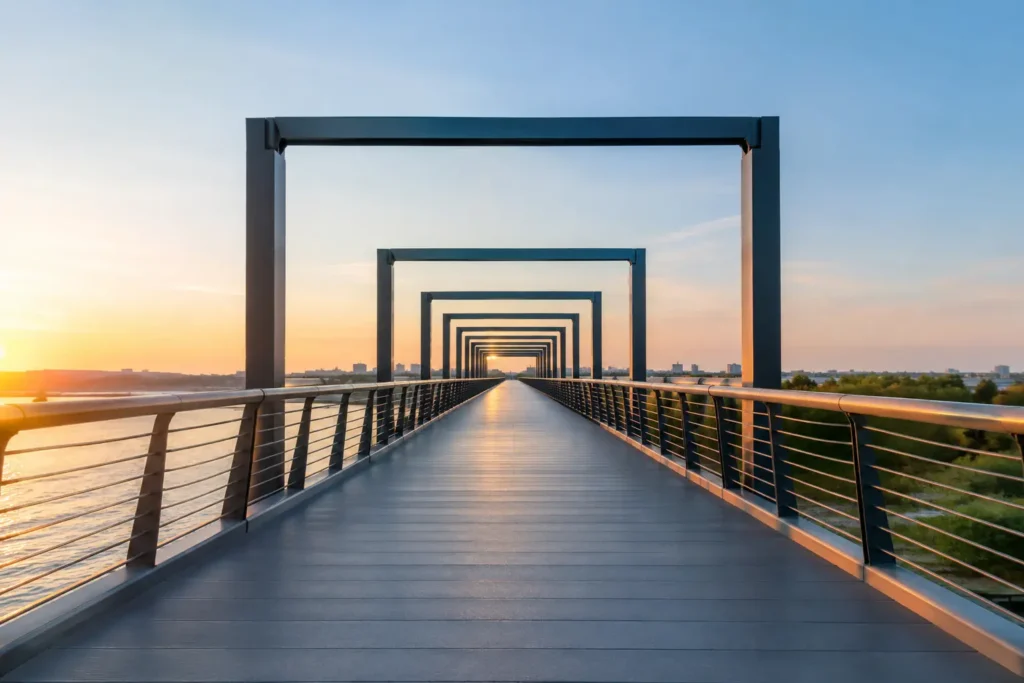
Centered composition works when the center is the point. Think of a person framed by an archway, a straight-on portrait, a tunnel, a church aisle, or a perfectly reflected building. Align the central axis carefully. Small errors are obvious in symmetrical frames.
This is where a live level and symmetry guide earn their place. Do not trust the feeling of level. Watch the architectural lines and make the frame exact.
Leading lines for depth
Leading lines are not decorations. They are routes through the image. A road, railing, row of lights, counter edge, boardwalk, or shadow can carry the eye to a person or focal point.
Move until the line begins near an edge or corner of the frame and travels toward the subject. If the line points out of the frame, it is working against you. Pan slightly. Lower the phone. Wait for the person to enter the line’s destination.
Triangle and balance for people and food
Triangular structure is especially effective when you have three people, three dishes, or a tabletop scene with multiple objects. It creates order without making the image stiff.
For food, start higher than you think. Separate dishes enough that each shape is readable. Avoid stacking every item along one edge. If one object is visually heavy – a dark coffee cup, a bright plate, a hand entering frame – counterbalance it with another element or more open space.
Golden Spiral and S-Curve for quieter scenes
Formal guides such as the Golden Spiral and S-Curve are useful when a scene already has a gentle visual flow. They suit winding paths, coastlines, staircases, curled fabric, plated food, and a subject standing near a sweeping architectural feature.
They are not universal upgrades. If the curve is weak, do not force it. A simple thirds frame or centered structure may be clearer. Composition is not about selecting the fanciest guide. It is about choosing the guide that makes the subject easiest to see.
Use guidance before you touch the shutter
The most effective habit is to compose in three short moves. First, identify the subject. Ask what the photograph is actually about. A skyline, your child, the dessert, the reflection, or the curve of the road cannot all be the primary subject at once.
Next, let the scene suggest its structure. Faces and open space often favor thirds or a portrait arrangement. Strong central architecture favors symmetry. A visible horizon calls for leveling. Repeating objects on a table may call for balance or a triangle.
Then make the physical correction. This is where most photographs improve. Do not only drag the frame with a small wrist movement. Change your position. Step back to give the subject room. Move left to separate it from a distracting object. Crouch to bring a leading line into the foreground. Raise the phone to simplify a tabletop scene.
A live score can confirm whether the adjustment is helping, but it should not dictate every frame. A high score means the selected structure is being followed cleanly. It does not mean the scene is automatically meaningful. You still decide when the expression, light, gesture, or timing is right.
Keep iPhone camera controls intact
Composition guidance should fit around serious iPhone capture controls, not replace them. You may need to use 48 MP resolution for a detailed landscape, ProRAW for a difficult edit, Live Photos for a fleeting family moment, or AE/AF lock when the light and focus need to stay fixed as you reframe.
Those choices solve different problems. ProRAW gives you more editing latitude, but it creates larger files and usually requires more work. HEIF is faster and more practical for everyday sharing. Zoom can help simplify a scene, but stepping closer often produces a stronger perspective. A guide cannot choose those trade-offs for you. It can make sure the frame remains intentional once you do.
Camera Grid applies this approach directly in the viewfinder, using on-device scene analysis to select guides and provide concise framing corrections. Your images and scene information stay on your device. No account. No analytics trail. The camera remains a camera, with the controls you expect available when you need them.
When not to follow the guide
Good composition is not obedience. Sometimes you should leave the horizon tilted because the image needs speed. Sometimes you should crowd the edge because the crop creates tension. Sometimes the best portrait is awkwardly close because it captures a real expression.
Use the guide to understand the choice you are breaking. If you center a subject, center it decisively. If you cut off part of an object, make the crop feel intentional. If you place a horizon high or low, do it because the land or sky deserves the space.
The point of live guidance is not to make every photograph look alike. It is to make the frame deliberate before the moment disappears. Look at the subject. Adjust your position. Take the shot when the picture says exactly what you meant it to say.