Camera Grid
The golden ratio and the rule of thirds both move the subject off centre. The difference is where the lines fall. Thirds puts them at 0.333 and 0.667 of the frame. The golden ratio grid, often called the phi grid, puts them at 0.382 and 0.618, a little closer to the middle. That gap is about five per cent of the frame’s width or height. It changes how calm or how tense a picture feels, and it matters most for horizons and small subjects. The golden spiral is a separate tool: a curve that leads the eye in to one point. This article shows what each does, when you can see the difference, and when it makes no difference at all.
The numbers, plainly
The golden ratio is about 1.618. Split a line so that the whole is to the long part as the long part is to the short part, and the long part is 0.618 of the whole. The short part is 0.382.
Draw vertical lines at 0.382 and 0.618 of the width, and horizontal lines at the same fractions of the height, and you have the phi grid. Compare it with thirds:
- Rule of thirds: lines at 0.333 and 0.667.
- Golden ratio: lines at 0.382 and 0.618.
- The gap: 0.049 of the side, on each line.
On a phone held upright, 0.049 of the width is a few millimetres of screen. On a 4,032 pixel wide photo it is close to 200 pixels. Small, but not invisible.
What actually changes in the picture
The crossings move toward the middle
The four golden crossings sit inside the four thirds crossings. A subject placed on a golden crossing is still clearly off centre, but it has more space on its far side and less between it and the near edge. The effect is quieter. Thirds feels like a deliberate step to one side. The golden grid feels like a gentle lean.
Horizons feel different
This is where the gap is easiest to see. A horizon on the lower third gives the sky two thirds of the frame. A horizon at 0.618 down the frame gives the sky a little less, and the ground a little more. Neither is correct. The thirds version commits harder to the sky. The golden version keeps more of the land in play while still avoiding a horizon through the middle.
Small subjects show it, large ones hide it
A small subject is a point, so moving it five per cent is visible. A large subject covers both grids’ lines at once, so the difference disappears inside it. If your subject takes up a third of the frame or more, pick either grid and move on.
The golden spiral is a different idea
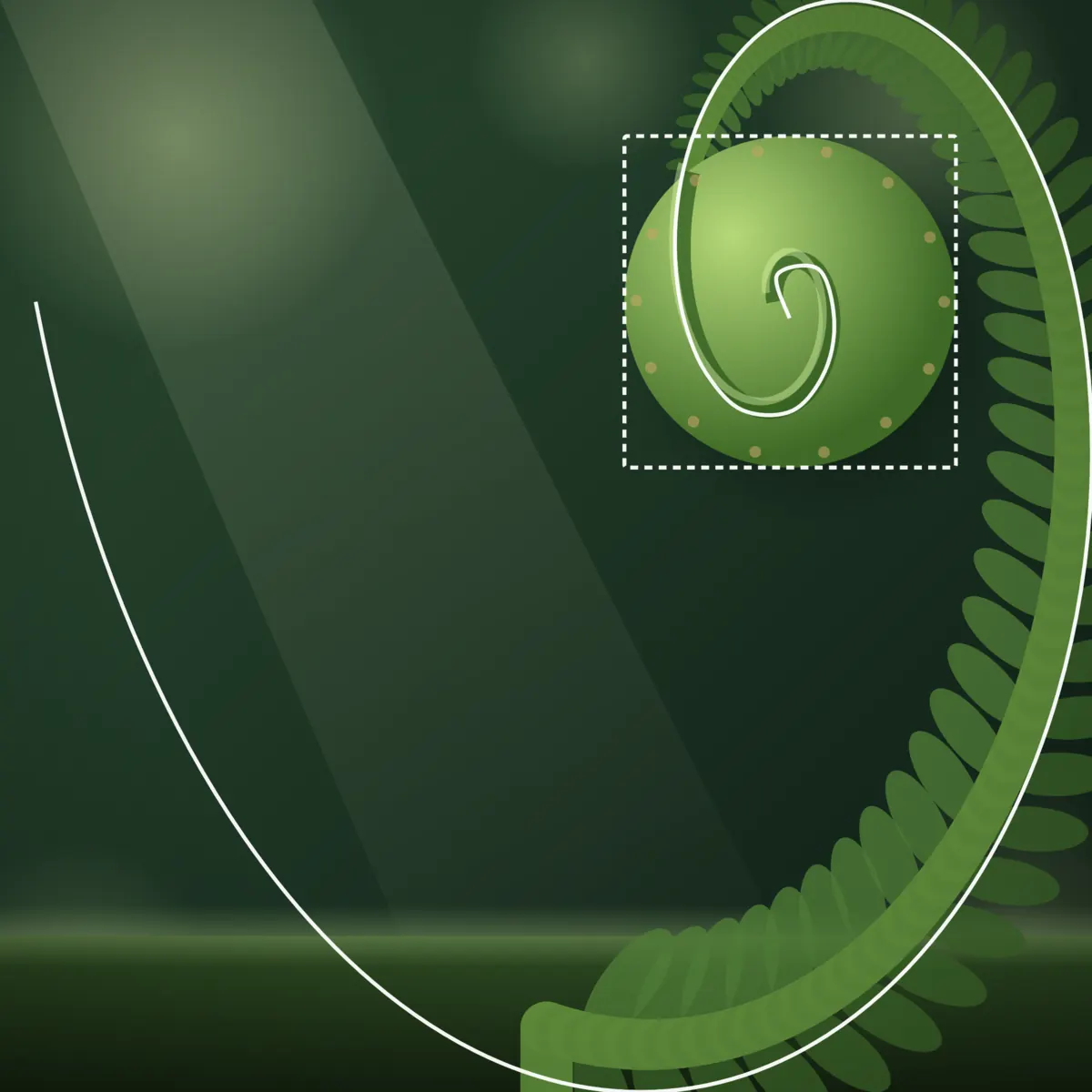
The golden spiral starts from a golden rectangle. Cut a square off it and the piece left over is another golden rectangle. Keep cutting and the squares wind inward. A curve drawn through the squares tightens by the golden ratio each quarter turn, and it closes in on one point.
The grid tells you where to put the subject. The spiral tells you how the rest of the picture should lead there. Use it when the scene already has a curve or a sweep: a staircase, a shell, a wave, a line of rocks bending toward a figure. Put the tight end of the spiral on the subject and let the wide end follow the sweep.
One honest limit
The golden rectangle is about 1.618 to 1. An iPhone photo is 4:3 (1.333 to 1), and the other common shapes are 3:2 and 16:9. None of them is golden, so a spiral drawn over a phone frame is either stretched to fit or leaves a margin. The idea still works. Treat the spiral as a direction for the eye to follow, and do not measure your photo against it to the pixel.
When to use which
- Use thirds for everyday scenes, quick shots and anything with a single clear subject and a busy background. The stronger offset reads well at a glance.
- Use the golden grid for quiet scenes: a still landscape, a small figure in a wide space, a portrait where you want the subject off centre without the frame feeling empty on one side.
- Use the golden spiral when a curve in the scene already leads toward the subject, and you want to place that curve with some intent.
- Use neither when the scene is symmetrical, when a vanishing point sits in the middle, or when the subject fills the frame.
The Diagonal Method is another option for scenes built on diagonals. It draws lines at 45° from the corners and puts the subject on one of them.
How to practise the difference
- Pick a scene with a clear horizon. A beach, a field, a lake.
- Shoot it three ways. Horizon on the lower third, horizon at 0.618 down, horizon through the middle.
- Look at the three side by side. The middle version will feel split. The other two will differ in how much they favour the sky.
- Repeat with a small subject. A person on a path, a boat on water. Put it on a thirds crossing, then a golden crossing.
After a few rounds you will start to choose between them by feel, which is the point.
Drawing the grids live
Most phone cameras only offer the thirds grid. Camera Grid draws the Golden Ratio grid and the Golden Spiral as live targets over your subject, scores the framing as you move, and turns the ring green when you land it. Both are part of Pro. Rule of Thirds is free.
Checklist
- Thirds at 0.333 and 0.667; golden at 0.382 and 0.618.
- The gap is about five per cent of the frame, most visible on horizons and small subjects.
- Choose thirds for a firm offset, golden for a gentle one.
- Use the spiral only when a curve in the scene already leads to the subject.
- Do not expect a golden spiral to fit a 4:3 frame exactly.
- Drop both when the scene is symmetrical or the subject fills the frame.