Camera Grid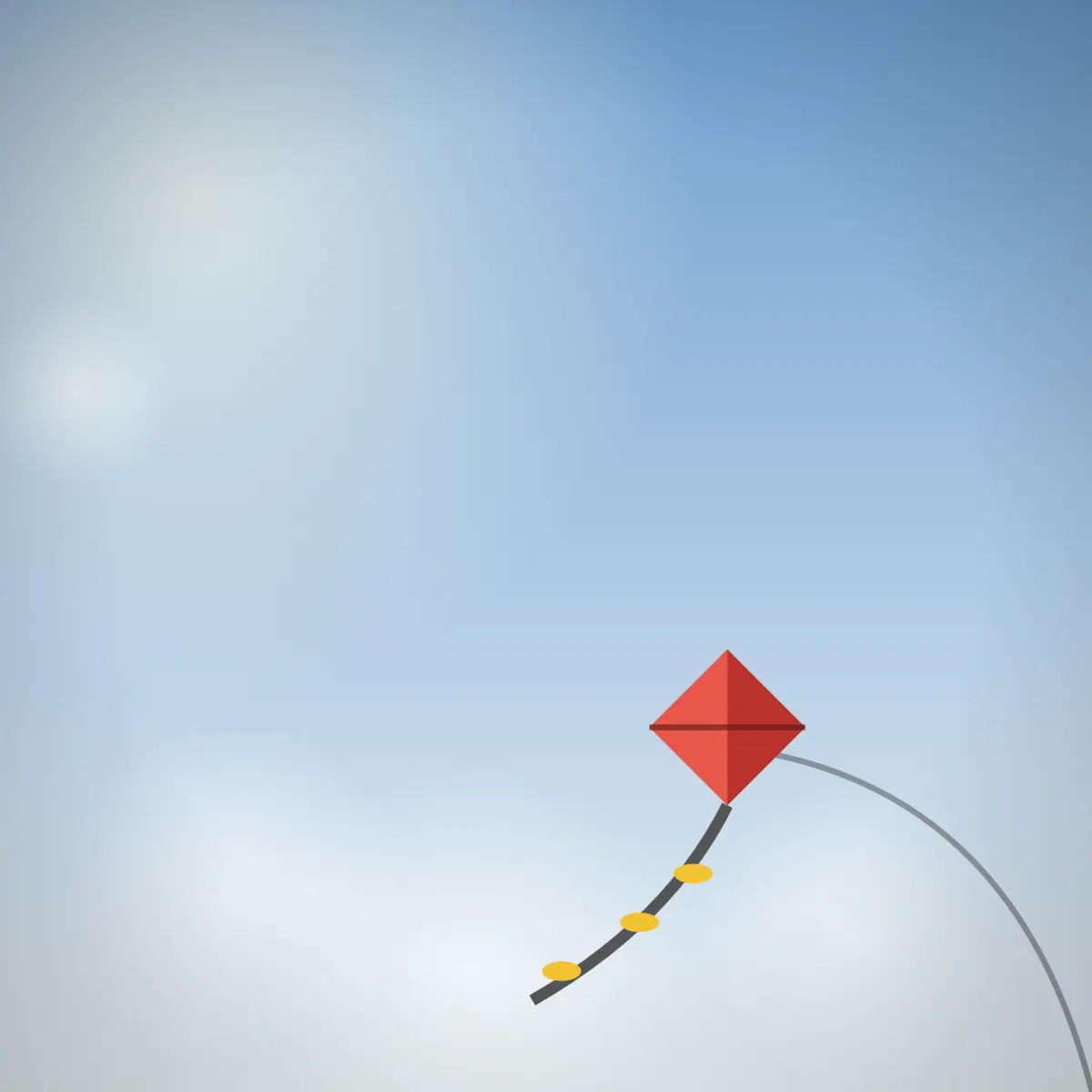
- Framing
- FREE
Negative Space: a small subject with room to breathe
A small subject and a lot of calm around it. Resist the urge to zoom in.
What it is
Negative space is the empty area around a subject: sky, water, a wall, fog. Keeping the subject small and surrounding it with calm makes it stand out by contrast, and the empty area sets the mood, often quiet, lonely or peaceful. The subject still needs a strong position, usually a third crossing, so the space feels deliberate. The hard part is holding back. The instinct is to zoom in, and that throws away the very thing that makes the picture.
When to use it
- A lone bird or boat against open sky or water
- A person walking across a plain wall or a snowfield
- A single leaf or flower against a clean background
How to shoot it
- Find a simple background and let your subject be small, well under a tenth of the frame. Step back rather than zooming in.
- Camera Grid draws the thirds grid with a small box on the crossing nearest your subject.
- Pan until the subject sits in the box. If it is too big, the coach says “Step back, or zoom out”.
- Keep any horizon level, and shoot once the ring turns green with a tap.
Common mistakes
- Choosing a busy background, which turns the empty space into clutter.
- Putting the tiny subject in the middle, where the space around it looks accidental.
- Zooming in until the subject fills the frame and the calm disappears.
Questions
What is negative space in photography?
It is the empty area around and between subjects, such as sky, water or a plain wall. Used well, it isolates the subject, simplifies the picture and sets a mood. The subject is often small and placed off centre so the space feels intentional rather than left over.
How small should the subject be in a negative space photo?
Small enough that the space clearly dominates, usually well under a tenth of the frame. Camera Grid's Negative Space guide aims for a subject between about half a percent and eight percent of the picture, and tells you to step back when yours is bigger.



Frame it. Lock it.
Negative Space is one of the 16 free guides in Camera Grid. Point your iPhone at the scene and the app draws it for you.